CS2 WebRadar
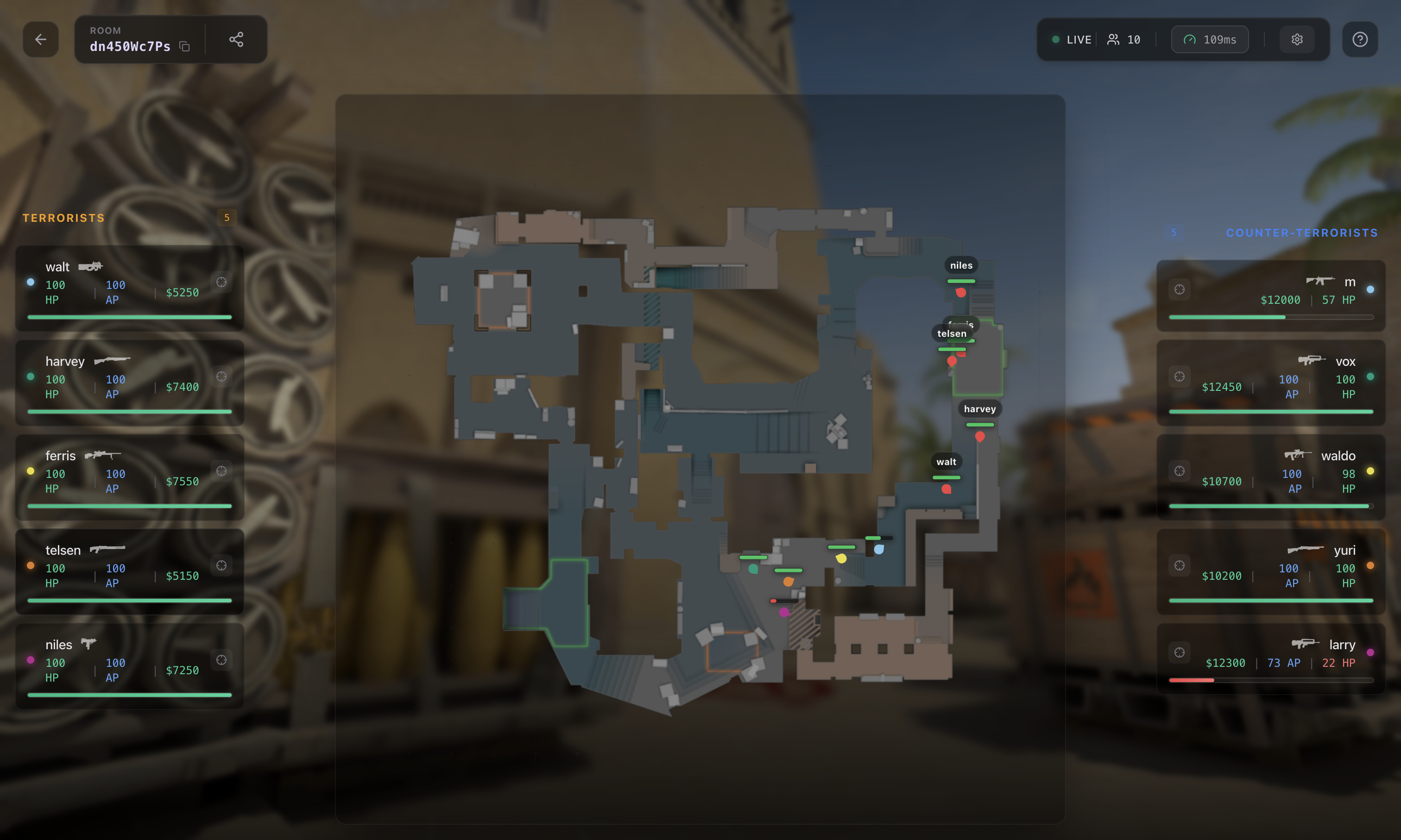
View live Counter-Strike 2 player positions, health, armor, weapons and bomb information in your browser. Open a room supplied by a compatible Distort client on a second monitor, phone or tablet.
An active room is required. Keep any viewer token included with your room details. WebRadar help
What the browser radar displays
Live player information
See the positions and player details supplied by the active client. The browser updates its map as room data arrives; it cannot display a match without that data source.
Share a room link
Send the room link to intended viewers. When access requires a viewer token, share the complete viewer link. Each viewer needs a browser and an internet connection.
Saved display settings
Adjust zoom, background opacity and icon sizes. Preferences are saved in this browser for your next room; they do not automatically transfer to another device.
A separate viewing screen
Open the hosted viewer on another monitor, phone or tablet. The producing client still needs to run and supply valid updates. Network conditions affect how quickly a viewer receives them.
Before you open a room
This page is the viewer. It does not create match data or replace the compatible client. Check CS2 External or CS2 Internal for current product access and requirements.
Evaluating another setup? Our CS2 web radar comparisons cover hosted and local viewing, access requirements and pricing context. Browser viewing does not establish account safety or permission to use a tool on a competitive service.
WebRadar questions
Does opening this page start a radar?
No. You need room details from a compatible client that is supplying live data. The website connects the browser to that room.
Can I view the room on my phone?
You can open the hosted room link in your phone's browser. Keep any viewer token in the link, and leave the producing client running. Settings are stored separately in each browser.
Why did my room expire?
Under the default configuration, rooms close after five minutes without a valid producer update. Keeping a viewing tab open does not extend that time. Create a new room through your client when the old one expires.
Where do I get help?
Check the Distort WebRadar support article for product-specific help. Share the error message with support, but keep producer credentials and private viewer tokens out of public posts.